/synclair/github brings the repo’s recent activity into the hub — the latest commits
and their diffs. It’s a small section with a big idea behind it: git is the hub’s
database, so showing repo activity isn’t an integration, it’s just reading the source
of truth.
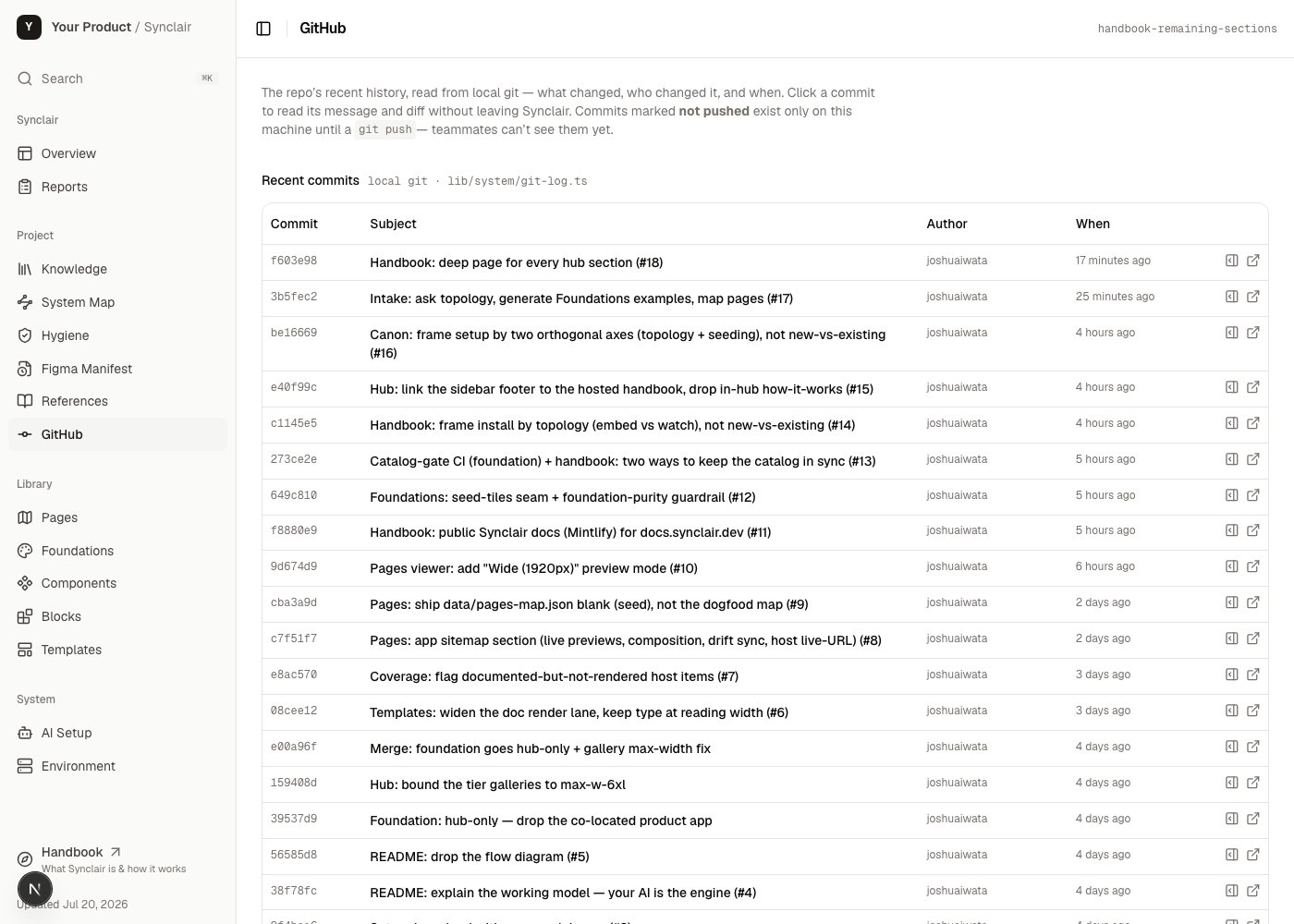
The GitHub section at /synclair/github — recent commits read straight from local git.
What it is
A live view of recent commits and diffs, read straight from the local git history — the shared log of everything that’s changed, for humans and agents alike.What’s in it
- Recent commits — what changed, when, and by whom
- Diffs — the actual changes, inline
- Powered by
lib/system/git-log.ts, reading local git
How it works
This section is the most direct expression of a core Synclair principle: git is the database. Every fact the hub shows — tokens, the registry, docs, knowledge — is a file in the repo, and sync between teammates isgit pull / git push. So the “activity
feed” is just git, rendered.
The rule of thumb: if a change deserves a commit message, it’s a file in git. That’s
why the hub needs no server and no separate database to be multiplayer — the repo is
the shared state, and this section is the window onto it.
How to act on it
See what's changed
See what's changed
Open
/synclair/github for a quick read of recent work without leaving the hub —
useful for a standup glance or catching up after time away.Trust the freshness
Trust the freshness
Because it reads live git, it’s never stale — it shows exactly what’s in the repo,
the same bytes every other section reads from.
Related: Environment
Git is also how foundation updates flow — the Environment section tracks whether your
clone is behind the upstream repo.