

Quickstart
npx synclair new my-project — clone, install, and open the hub on port 4100.Set it up with your agent
Say “run me through setup” and the interview + reseed flow does the rest.
How is this different from Storybook?
The comparison everyone asks for — and where the two genuinely diverge.
Adopt it onto an existing app
Companion mode: its own repo beside yours, documenting it one-way.
Why building with agents decays
Not because the agent is bad at writing code. Because three things nobody built a place for keep going missing.1
01 · Agents reinvent
Your agent needs a data table. Two already exist in the repo; it finds neither, so now
there are three — each with its own padding, its own empty state, and its own idea of
what blue means. Nobody approved a third table. Nobody was asked.
2
02 · Context dies with the session
You explained the approval flow on Monday. On Thursday, a new session, you explain it
again — and the PRD that actually answers it is a 40-page doc in Drive that nothing in
the repo points to.
3
03 · Humans lose the thread
Four views shipped this week. The designer has seen one, the PM is describing a flow
that changed on Tuesday, and the only honest way to find out what exists is to read the
code. So nobody does, and the drift turns up in a demo.
One repo, three fixes
Every one of those is the same failure — the answer already existed and nothing made it reachable. So Synclair writes each answer down once, in the repo, where it is read three ways: a page for people, ambient markdown for agents, and MCP tools for agents mid-task.Synclair is the foundation, not the product. You don’t ship Synclair — you ship the app
you build on Synclair. Think of it as the workshop and reference library for your
product, not a feature of it.
What you actually get
Eleven surfaces, all under/synclair, all rendered from files in your repo.
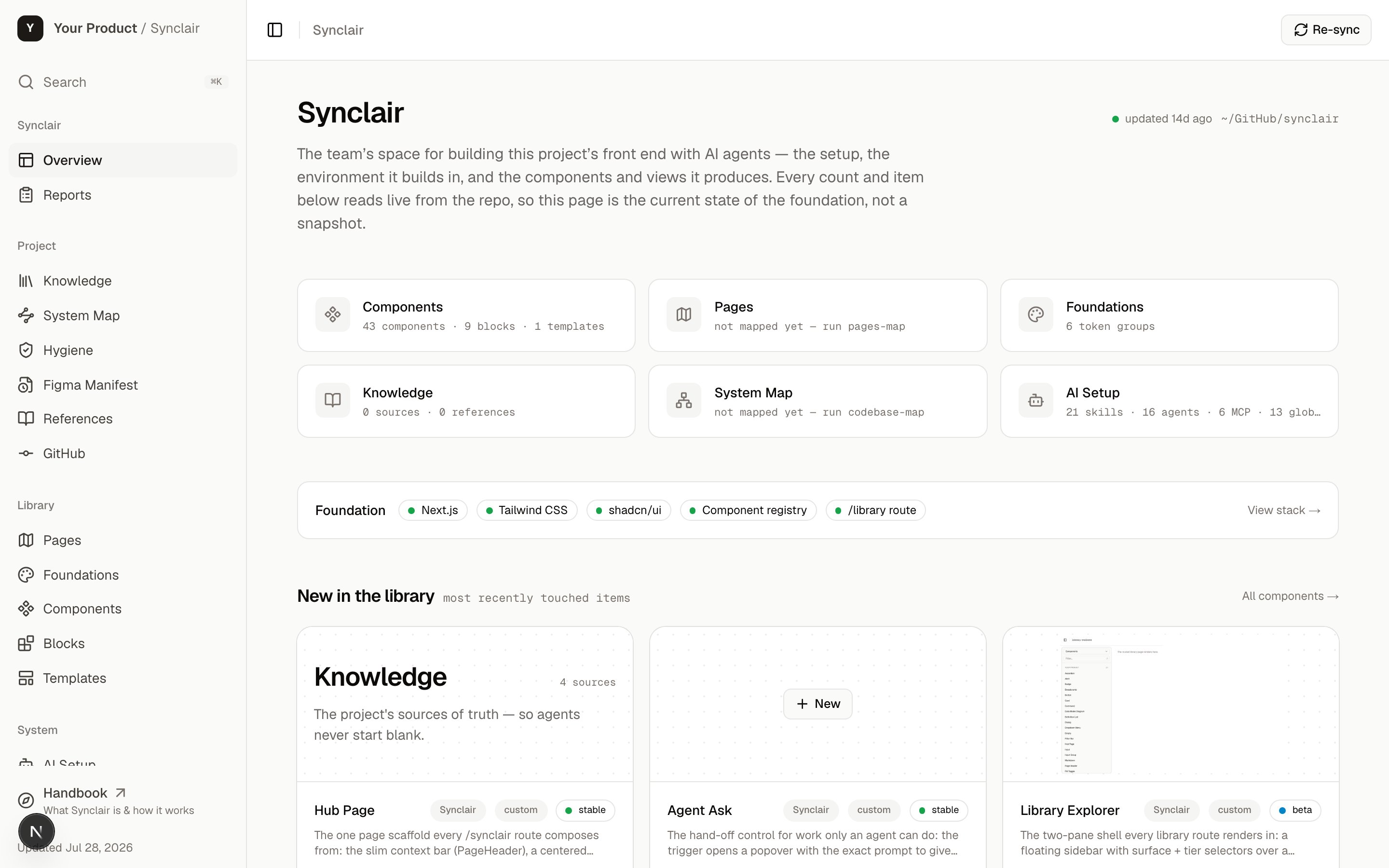
The Overview counts every card live from the repo — the current state of the foundation, not a snapshot someone remembered to update.
The three ideas that make the rest click
1
It documents your design system; it doesn't execute it
A component in the gallery is a documented entity — its tokens, spec, usage rules,
code, and a picture. Live-rendering it inline is one convenient way to draw that
picture. The documentation is the point, not the runtime.
2
One source, three readings
Every fact lives once, in a file, and is read as an HTML page for humans, ambient markdown
for agents, and MCP tools mid-task. They can’t drift — they derive from the same copy.
3
Clone, then diverge deliberately
You clone the foundation and it becomes yours from the first commit. Nothing syncs
automatically. When you want foundation improvements later, you pull them with an
ordinary git merge, on your terms.
What keeps it honest
Documentation that depends on discipline rots. Synclair’s doesn’t depend on discipline —npm run verify-ui has to pass before any UI work counts as done, and CI runs the same
gate on every PR. Twenty-one checks, of which the load-bearing ones are:
- Tokens only. Raw hex and arbitrary px values are lint errors.
- Everything registered. A component that isn’t in the registry doesn’t exist for reuse, so registration happens at creation.
- Everything renders. A doc page that only shows a code snippet is a claim the browser can’t back up — and it fails the build.
- Docs anchored to source. UX docs are commit-anchored to the code they describe, so drift is flagged rather than quietly accumulating.
Who it’s for
What Synclair doesn’t do
The honest list, so you can rule it out quickly:- It doesn’t index or analyze your code the way a code-intelligence tool does. No call graph, no defect prediction, no dead-code detection.
- It has opinions about your stack. The hub is Next + Tailwind + shadcn and the token rules are lint-enforced. Live previews need something React-shaped; React Native works via react-native-web, other stacks get documented rather than rendered.
- It ships no AI of its own. Every intelligent thing here runs on the agent you already pay for. Without one the hub is still a live style guide and component library — but the flywheel doesn’t spin.
- Its MCP server is read-only. Nine tools answer questions about the catalog, tokens, pages and knowledge; nothing writes through it. Building still happens through your agent editing files, where the guardrails can see it. See Skills & agents.
- It isn’t hosted. Each person runs it from the clone. That’s what makes git the database and keeps your code on your machine.
- The seed starts blank on purpose. Setup or intake is what populates it.
Where to go next
How it works
The non-obvious parts: where the “database” is, and how it rides on git and the AI tools
you already use.
Install it
Embed it in one repo, or watch it from a separate one.
Day to day
What using it actually looks like once it’s set up.
FAQ
Separate app? Monorepo? Can I modify it? Fast answers.