/synclair/foundations is the bedrock the rest of the library stands on: the project’s
design tokens, presented as one browsable, semantic vocabulary. It’s where you
answer “what’s our color for a destructive action, and what’s the right heading size?”
— and it’s what the lint guardrails point back to when they reject a raw hex.
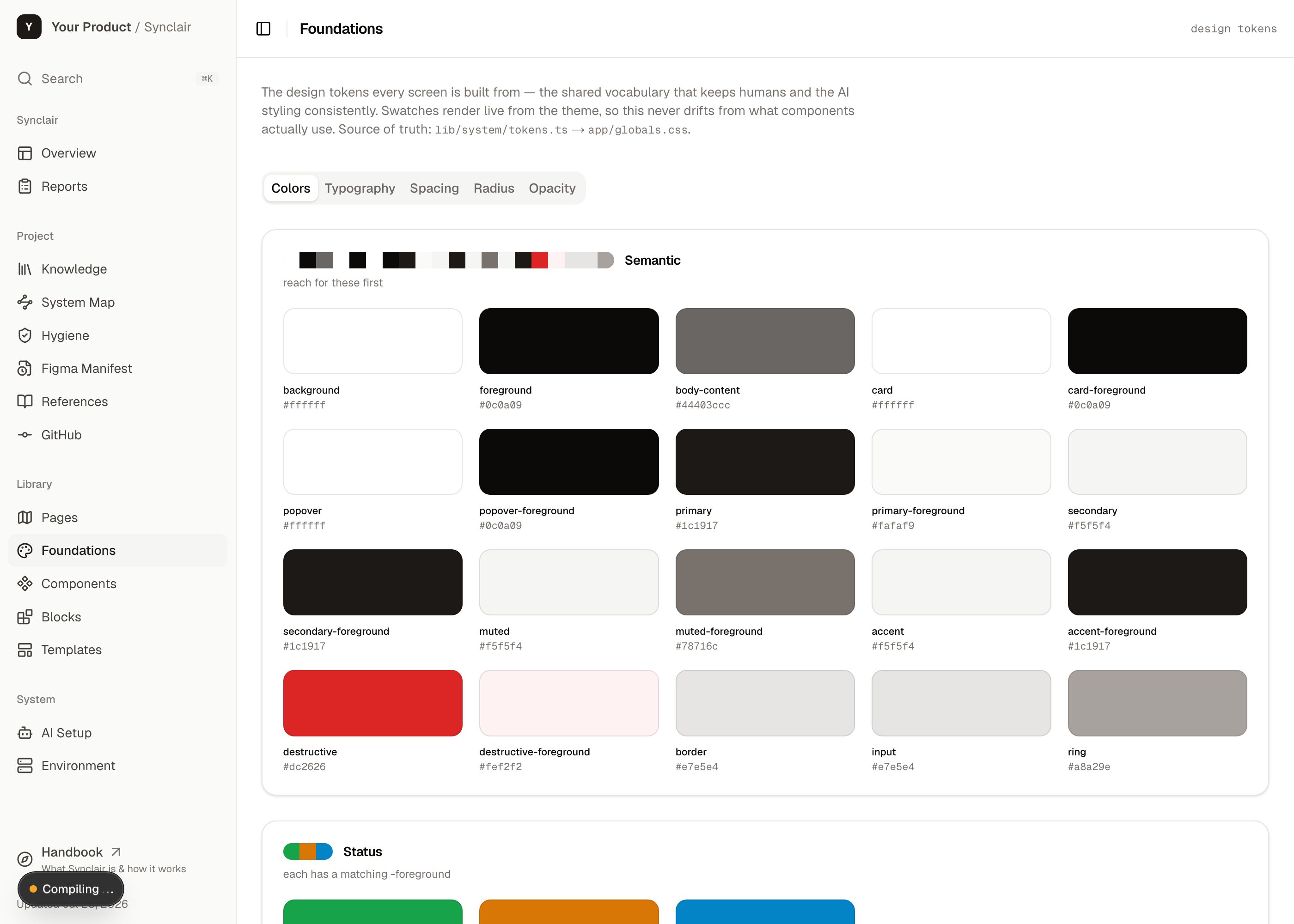
The Foundations section at /synclair/foundations — semantic color tokens with their live values.
What it is
The single source of truth for the product’s visual language, in three scales:Color
Semantic roles (primary, muted, destructive, border…) mapped to the brand ramps —
not a wall of hex codes.
Type
The type scale and roles — headings, body, captions — with the real font rendering.
Spacing
The spacing and radius steps that keep layout rhythm consistent.
What’s in it
- The token vocabulary (
lib/system/tokens.ts) — the semantic names, their meaning, and the usage guidance. Platform-neutral. - The motion vocabulary — the Motion tab documents the sanctioned moves (a
page-level fade-rise, a short child stagger, hover and resize transitions) with
hover-to-replay specimens. Opacity and small translates only, and everything
flattens under
prefers-reduced-motion. - The brand values (
lib/system/seed/) — the actual ramps and theme values for this project. This is the “seed” you swap when you reskin. - Foundation example tiles — a small grid of the product’s real UI patterns (headers, buttons, status pills) rendered against the brand, so the page shows the tokens in use, not just as swatches.
How it works
The key idea is semantic, not literal. You don’t reach for#1c1917; you reach for
primary. That indirection is what lets a reskin be a one-file change and what makes
the tokens meaningful to an agent.
This is lint-enforced, not a guideline. Raw hex in a class string, an arbitrary
pixel value, an inline color — the guardrails reject them and the error message names
the token to use instead. A rule firing on legitimate code means the scale is missing a
step — so you add a token, never an
eslint-disable.check:foundation-purity guardrail.
How to act on it
Use a token
Use a token
Reach for the semantic token in your class names (
bg-primary, text-muted-foreground,
rounded-md). The Foundations page is the reference for what exists.Reskin to a new brand
Reskin to a new brand
Swap the brand ramps in
lib/system/seed/ and the theme values in app/globals.css.
Because everything is semantic, the whole hub and library retheme from that one change.Add a missing step
Add a missing step
If a guardrail fires on legitimate code, the scale lacks a value. Add a token to
tokens.ts + app/globals.css (e.g. a new text size) rather than working around it.Pull tokens from Figma
Pull tokens from Figma
Use the
figma-export-tokens skill to export Figma variables into token files —
the code side of keeping design and code aligned.Related: Component library
Every component in the library is built from these tokens — that’s why the guardrails
can keep the whole system consistent.